Webhooks
Have Kolasys send a signed request to your server when a meeting’s notes are ready, or when someone changes an action item.
Add an endpoint
You need to be a workspace owner or admin. It works on every plan.
- Go to Settings › Integrations. Under Developers, in Webhooks, click Add endpoint.
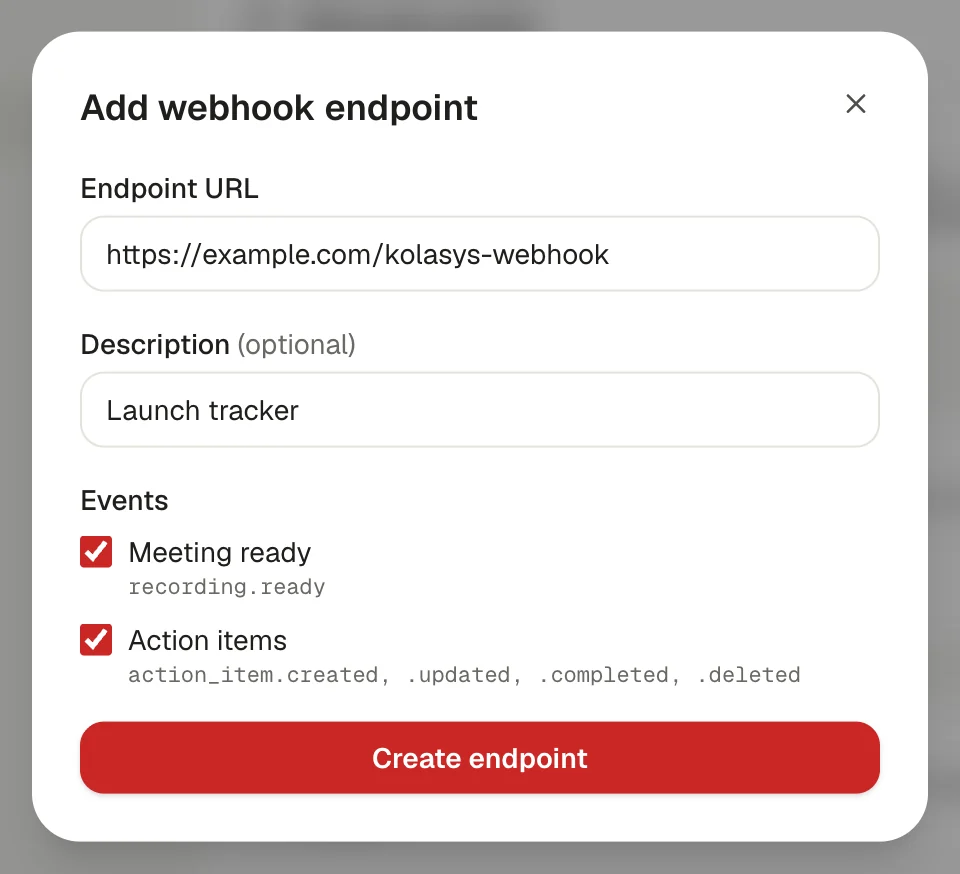
- Enter the Endpoint URL, and a Description if you like.
- Under Events, tick Meeting ready, Action items, or both.
- Click Create endpoint, then copy the signing secret. It’s shown only once.
Events
- Meeting ready (recording.ready): once per meeting, when its notes are ready.
- Action items (action_item.created, .updated, .completed and .deleted): when someone adds, edits, ticks off or deletes an action item, on the web, in the apps or through the API. The action items Kolasys finds in a meeting aren’t sent one by one; recording.ready carries their count.
Like Slack and Notion, events are only sent for meetings shared with the workspace, unless an admin turned on Post private meetings too. A meeting shared later sends recording.ready then.
What a request looks like
A POST with a JSON body and these headers:
- X-Kolasys-Event: the event name.
- X-Kolasys-Delivery: an ID for this delivery.
- X-Kolasys-Signature: the signature, below.
Every body has event, timestamp and data. For recording.ready, data has recordingId, orgId, title, status, source, durationSeconds, createdAt, summary and actionItemCount. For action item events, data has the actionItem (title, status, priority, assignee, due date and more), the recording’s id, title and url, the actor who made the change and, for edits, the fields that changed.
Check the signature
The X-Kolasys-Signature header looks like t=1731499200,v1=5f2b…
- Take t (a Unix time in seconds) and v1 from the header.
- Join t, a full stop and the raw request body, exactly as received.
- Compute an HMAC-SHA256 of that with your signing secret, as hex.
- Compare it with v1 using a constant-time comparison, and reject old timestamps.
Retries
Your endpoint should answer with a 2xx status within 10 seconds. Anything else counts as a failure, and the request is tried again with a growing wait, up to 3 attempts in all. Do slow work after you’ve answered.
Pause, rotate or delete
- The switch on an endpoint turns it off and on.
- Tick or untick its events at any time. At least one stays ticked.
- The rotate button makes a new signing secret. The old one stops working at once, so update your server straight away.
- The delete button, then Confirm, removes the endpoint.
Teammates who aren’t admins see the endpoints, but can’t change them.
Was this helpful?
Still need help?
Email hi@kolasys.ai from the address on your account and we’ll reply by email.