Post notes to Slack
Post every finished meeting’s notes to a Slack channel, with the summary, action items and a link back to Kolasys.
Connect a channel
You need to be a workspace owner or admin. It works on every plan.
- In Slack, create an incoming webhook for the channel you want: at api.slack.com, open Your Apps, create an app for your Slack workspace, turn on Incoming Webhooks and add a webhook to the channel. Copy its URL.
- In Kolasys, go to Settings › Integrations.
- Under Slack, paste the URL into Incoming Webhook URL and click Save.
- Click Send Test. A test message should appear in the channel.
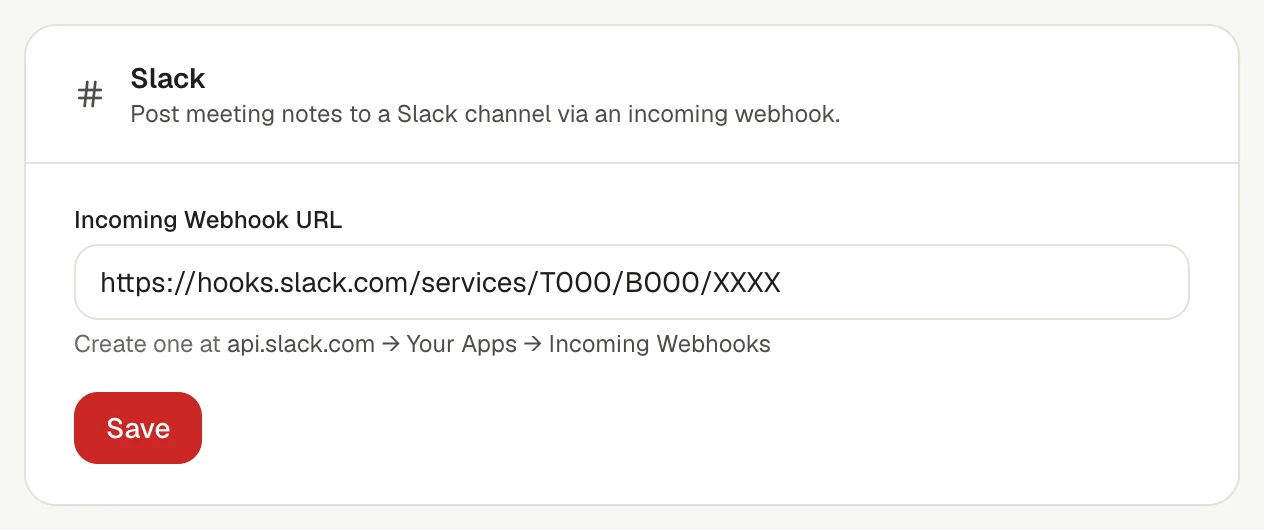
One workspace posts to one channel. Teammates who aren’t admins see whether Slack is connected, but can’t see or change the URL.
What gets posted
- The meeting title and the summary.
- Each section of the notes.
- The action items, with their priority.
- A View Full Notes button that opens the meeting in Kolasys. People need to be in your workspace and able to see the meeting to open it.
Which meetings are posted
Each meeting is posted once, when its notes are ready, if it’s shared with the workspace. Private meetings aren’t posted.
- If you share a private meeting with the workspace later, it’s posted then.
- Making a meeting private again doesn’t remove the Slack message.
- Meetings too short to have notes aren’t posted.
Post private meetings too
Under What gets posted on the same page, an owner or admin can turn on Post private meetings too. Every finished meeting is then posted, including ones only their recorder can see, so anyone in the channel can read them. It applies to meetings that finish after you turn it on, and to Notion and webhooks as well.
Test, change or disconnect
- Send Test posts a test message to the saved URL.
- To post to another channel, make a webhook for it in Slack, paste the new URL and click Save.
- Disconnect stops posting. Messages already in Slack stay there.
Was this helpful?
Still need help?
Email hi@kolasys.ai from the address on your account and we’ll reply by email.