The Kolasys AI API
Create an API key and read your meetings, transcripts, action items, people and more from your own code, over a REST API.
Create an API key
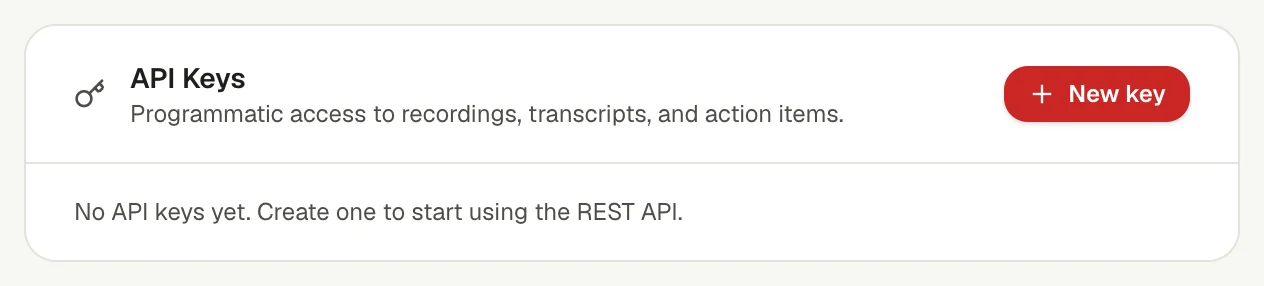
- Go to Settings › Integrations. Under Developers, in API Keys, click New key.
- Type a Key name you’ll recognize and click Generate key.
- Click Copy and store the key somewhere safe. It starts with kol_ and isn’t shown again. Then click Done.
Anyone in a workspace can create keys, on every plan.
Make a request
The API lives at https://app.kolasys.ai/api/v1. Send your key in the Authorization header as Bearer followed by the key. For example, a GET to /recordings?limit=10 lists your ten latest meetings. A missing or wrong key gets a 401.
The Integrations page has copy-and-paste examples.
What you can do
- List meetings (up to 200 per call), get one with its notes, and get its transcript and action items.
- Rename a meeting, or change who can see it.
- List folders and series, people and companies.
- List your Shortcuts and run one.
- See your upcoming calendar meetings, and the account and workspace behind the key.
Need something that isn’t there? Contact support and tell us what you’re building.
What a key can see
A key only reaches its own workspace, and sees what the person who made it sees: their own meetings, private ones included, and the ones shared with the workspace. Never other people’s private meetings.
The same key works with the MCP server at https://app.kolasys.ai/api/mcp, for tools like Claude Code and Cursor. See Use your meetings in Claude and ChatGPT.
Revoke a key
In API Keys, click the delete button next to the key, then Confirm. It stops working at once. Each key shows when it was created and last used.
Was this helpful?
Still need help?
Email hi@kolasys.ai from the address on your account and we’ll reply by email.