Add a series’ future meetings automatically
When you connect a recurring meeting, choose whether its next meetings join the Space by themselves or wait for you to approve them.
Choose when you connect
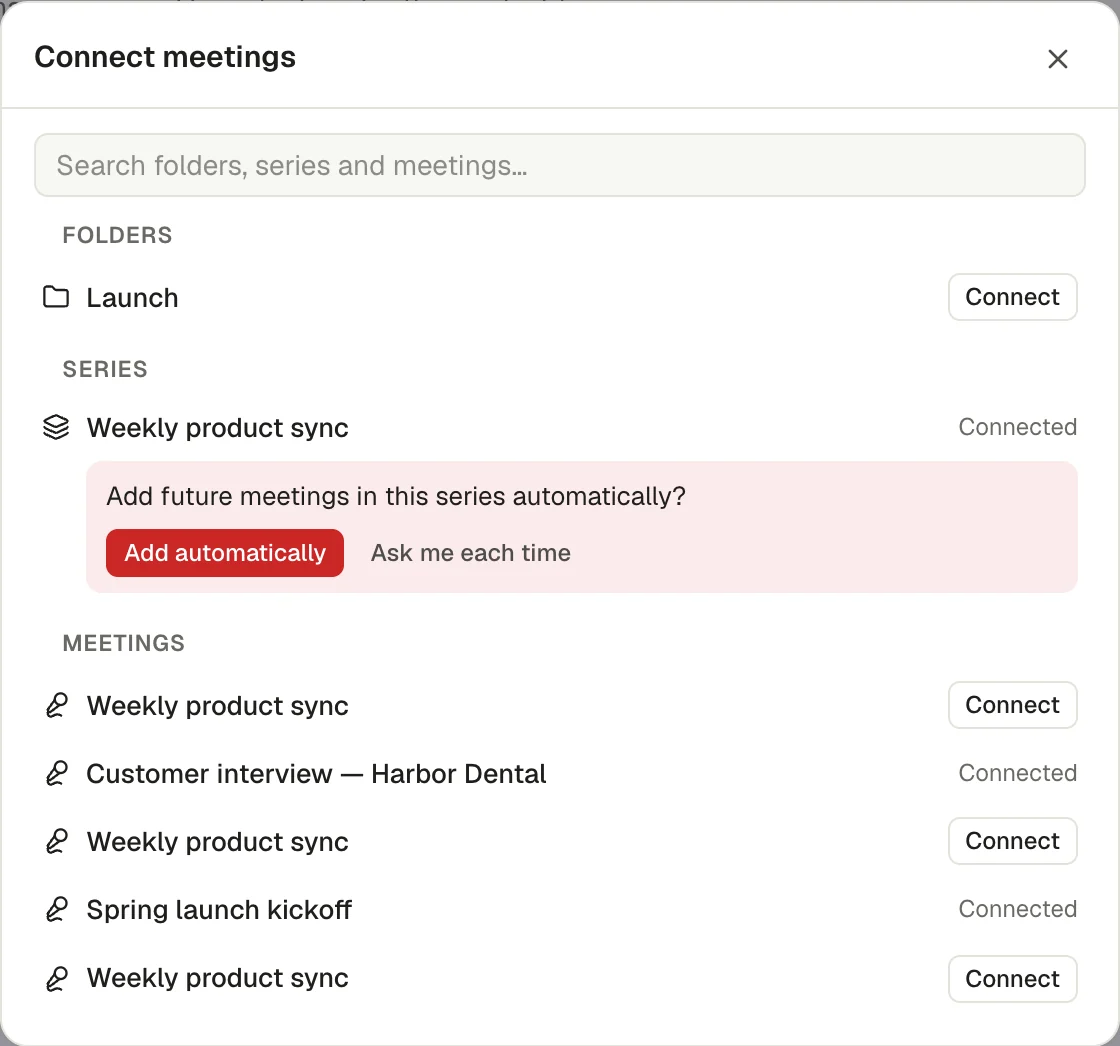
After you connect a series to a Space, you’re asked Add future meetings in this series automatically?
- Add automatically: each new meeting in the series joins the Space as soon as its notes are ready.
- Ask me each time: new meetings wait on the Space’s page until someone approves them.
Approving meetings one by one
Waiting meetings show on the Space’s page with Approve and Not this one. Meetings already in the series when you connected it come in straight away either way.
Private meetings
Adding automatically only brings in meetings everyone in your workspace can see, and your own. A teammate’s private meeting in the series always waits for someone who can open it to approve it, so nothing private reaches the Space by itself.
Change it later
On the Space’s page, click the series’ connection and choose Add new meetings automatically or Ask me about each new meeting. Turning automatic adding off keeps the meetings already in the Space.
Was this helpful?
Still need help?
Email hi@kolasys.ai from the address on your account and we’ll reply by email.