Notifications and emails
Choose when Kolasys notifies you that notes are ready, which emails you get, and whether your notes go to the people in your meetings automatically.
Go to Settings › Notifications. Most switches are yours alone; the two marked below are workspace-wide, and only owners and admins can change them.
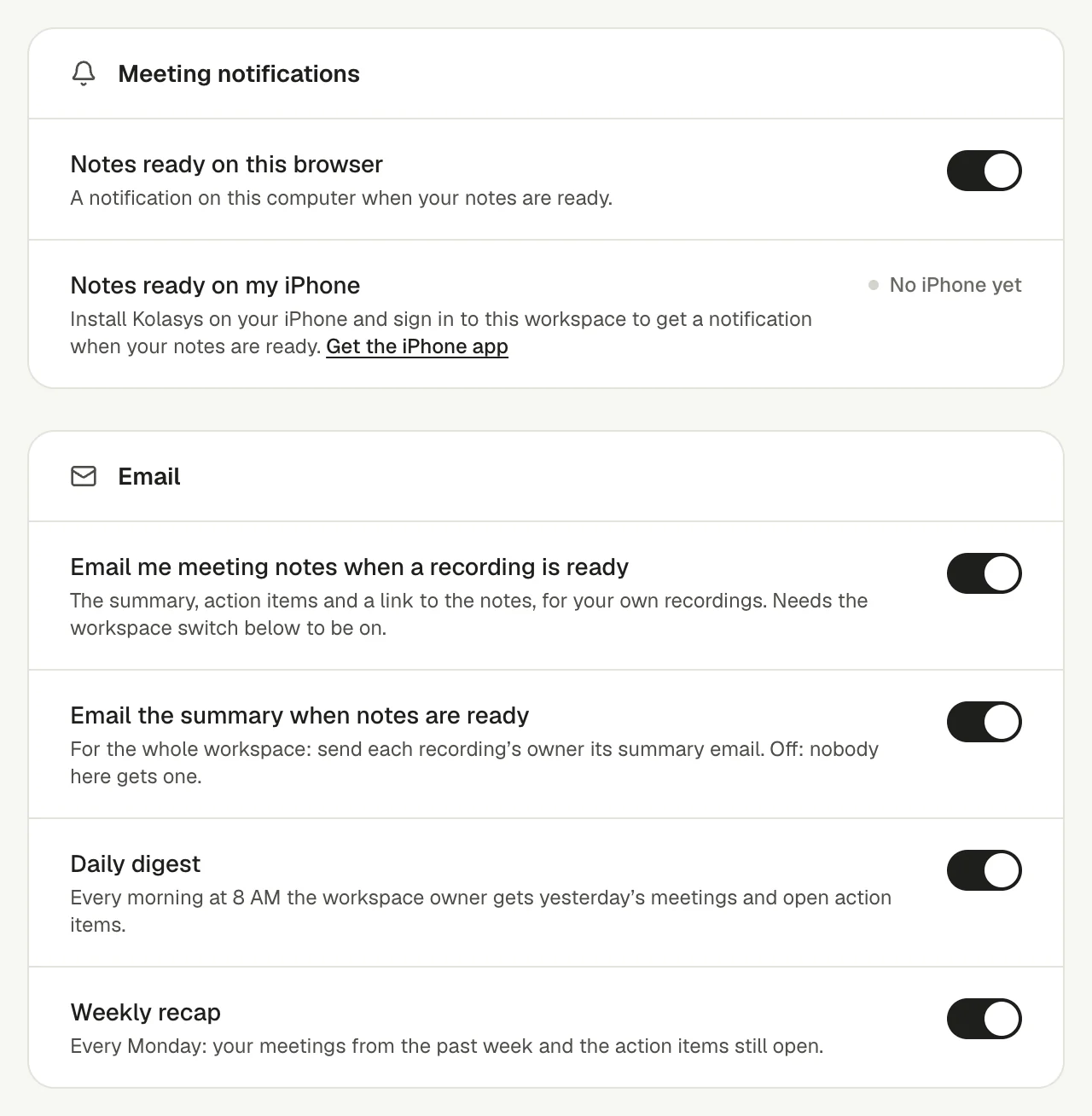
When notes are ready
- Notes ready on this browser: a notification on this computer when your notes are ready. If your browser blocks it, allow notifications for Kolasys in the browser’s site settings, then turn it on.
- Notes ready on my iPhone: your iPhone and Apple Watch get one once you install the iPhone app and sign in to this workspace. Turn it off in the iPhone’s Settings › Notifications › Kolasys.
In the Mac or Windows app, this page also has the meeting start prompts, like Ask to record when a meeting starts.
Emails
- Email me meeting notes when a recording is ready: the summary, action items and a link, for your own recordings.
- Email the summary when notes are ready (workspace-wide): when it’s off, nobody in the workspace gets the email above.
- Daily digest (workspace-wide): every morning at 8 AM the workspace owner gets yesterday’s meetings and open action items.
- Weekly recap: every Monday, your meetings from the past week and the action items still open.
Send notes to attendees automatically
Turn on Email my meeting notes to attendees automatically and, when the notes for one of your meetings are ready, the people who were in it get the summary and action items with a link to the full notes. It’s off until you turn it on.
- Send them to: Only people in my workspace (teammates and people on your company’s email domain) or Everyone on the invite. People outside your company open the notes with a code we email them.
- Include meetings only I can see: off means your private meetings are never sent automatically.
Sharing and product emails
- When someone shares a meeting with me: an email when a teammate shares one of their meetings with the workspace.
- Product updates and tips: occasional emails about new features.
Got notes from someone else’s workspace and want them to stop? See Stop getting notes emails.
Was this helpful?
Still need help?
Email hi@kolasys.ai from the address on your account and we’ll reply by email.