Your profile and preferences
Change your name, photo and email, tell Kolasys about your role, and choose your theme, note language, time zone and who sees your new meetings.
Your profile
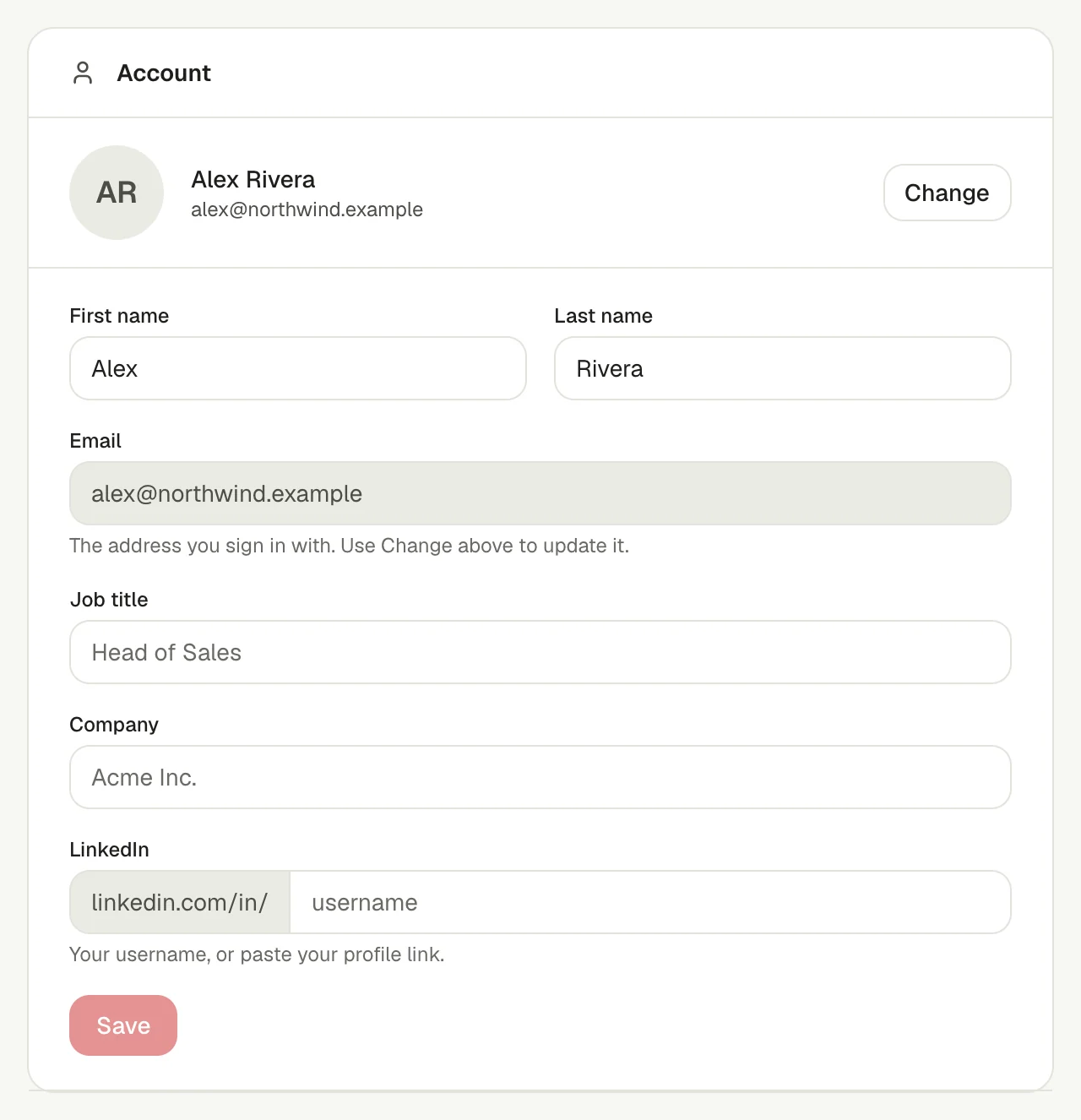
Go to Settings › Profile. Edit your First name, Last name, Job title, Company and LinkedIn, then click Save.
- To change your photo or the email address you sign in with, click Change next to your name.
- Signed in with Google or Microsoft? Sync from Google or Sync from Microsoft fills in your name, photo, job title and company where they’re empty. It never replaces what you typed.
About you
In the About you card, a few lines on what you do and what you care about in meetings. Kolasys uses it as context when it writes notes for meetings you record. It never appears in the notes.
Preferences
Go to Settings › Preferences:
- Theme: Light, Dark or Color.
- Summary language: the language your notes are written in. Same as the meeting unless you pick one.
- Personal jargon: names and terms Kolasys should spell right in your recordings. Press Enter after each.
- Your time zone: Automatic follows the device you’re on. Pick one to keep it when you travel. It sets the dates in your notes, Today and This week on action items, and when your emails arrive.
- Default visibility for my new meetings: Private or Everyone in workspace, for meetings you record or upload from now on. See Who can see a meeting.
Transcription language and Auto-delete transcripts after are on this page too, but they’re workspace-wide: only owners and admins can change them. See Languages and names Kolasys should know and Auto-delete transcripts and audio.
Export your notes
On Settings › Profile, under Export my meeting notes, click Export CSV. You get the title, date, duration, summary and action items of every meeting you recorded in this workspace.
Was this helpful?
Still need help?
Email hi@kolasys.ai from the address on your account and we’ll reply by email.