Languages and names Kolasys should know
Choose the language a meeting is spoken in, get notes in another language, and teach Kolasys the names and terms it should spell right.
Set a recording’s language
Kolasys transcribes 65 languages. When you upload or record in your browser, pick one under Language in New Recording.
- Picking the language people speak is faster and more accurate.
- Auto-detect is for meetings that switch languages.
- A few languages don’t get speaker labels yet; the window says so when you pick one (for example “Speaker labels aren’t available for Welsh yet.”).
The workspace default
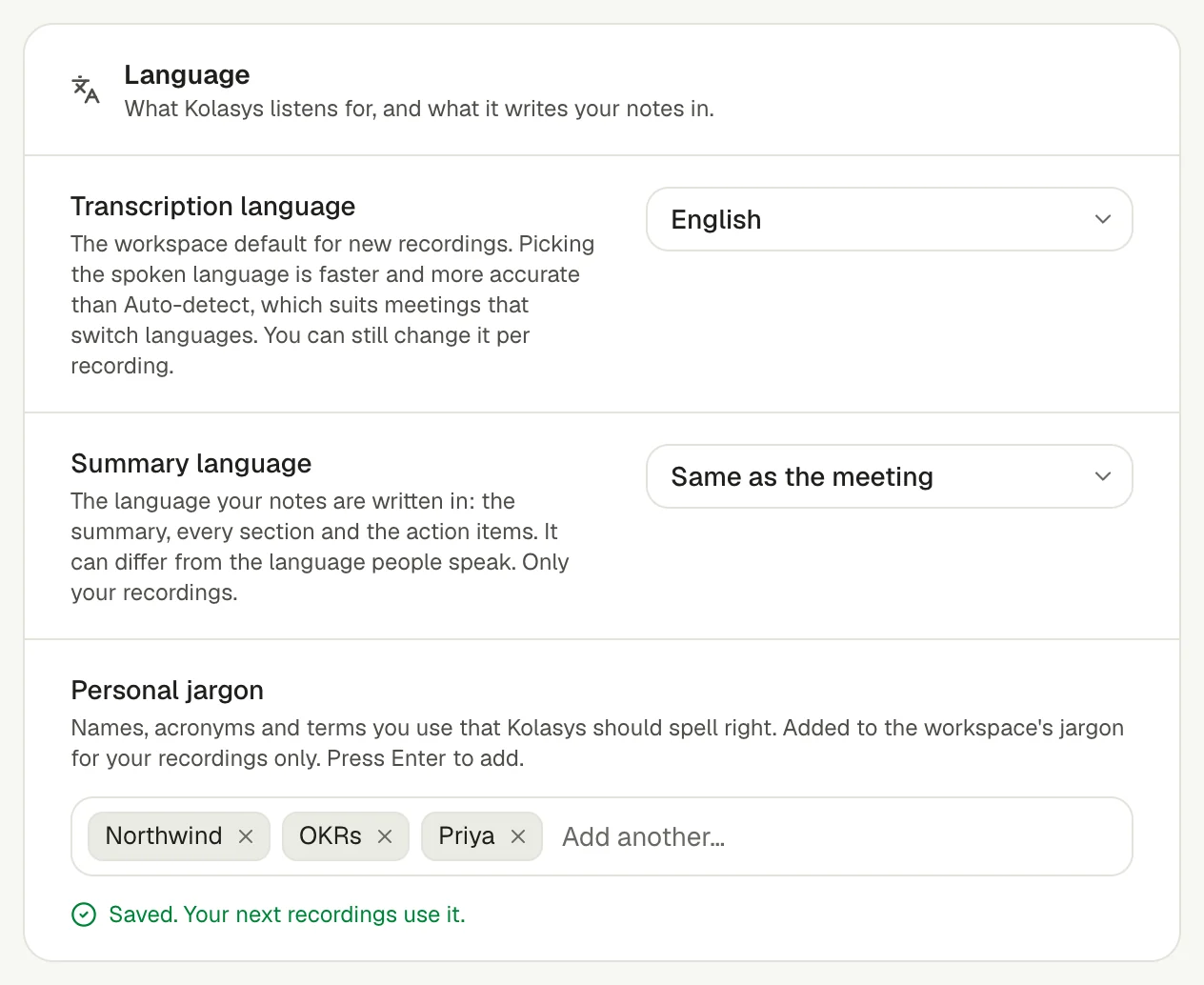
The meeting bot, the desktop app and Upload audio or Voice Memo use the workspace’s default. To change it, go to Settings › Preferences and choose a Transcription language. Only workspace owners and admins can change it.
Get notes in another language
In Settings › Preferences, set Summary language. Your notes (the summary, every section and the action items) are then written in it, whatever language people spoke. Same as the meeting keeps them in the spoken language. It applies to your recordings only.
Teach Kolasys names and terms
- Personal jargon (Settings › Preferences): names, acronyms and terms you use. Type one and press Enter. Up to 100 terms, used for your recordings.
- Internal jargon (Settings › General › AI context): terms for the whole workspace. Owners and admins can also add a Company description there, which Kolasys uses when it writes summaries.
Both help Kolasys spell names right in transcripts and notes from then on.
Fix a transcript in the wrong language
- Open the meeting.
- Click ⋯ (More actions) and choose Re-transcribe.
- Pick the Language and a Quality (Standard or High), then click Re-transcribe.
Was this helpful?
Still need help?
Email hi@kolasys.ai from the address on your account and we’ll reply by email.