Delete a meeting
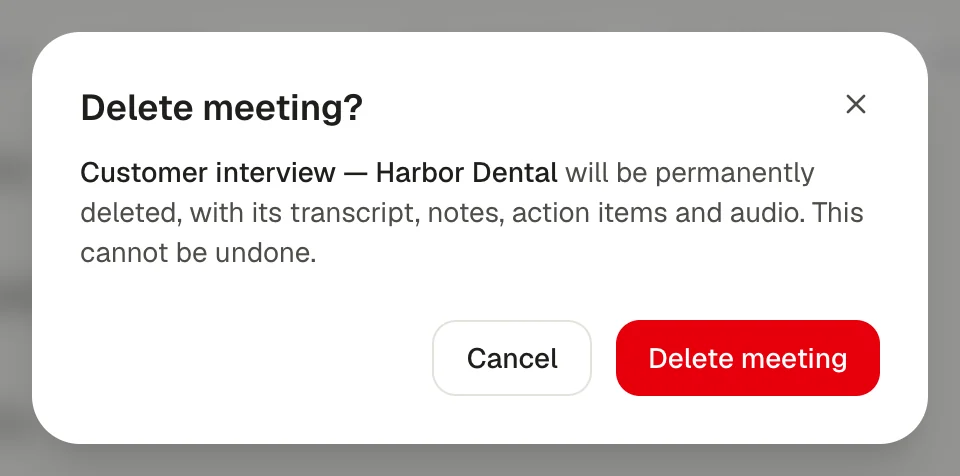
Delete a meeting with its transcript, notes, action items and audio. It can’t be undone.
Delete a meeting
- Open the meeting and click Delete at the top.
- Click Delete Recording to confirm.
From the Meetings list: click the meeting’s •••, choose Delete… and click Delete meeting.
Who can delete
The person who recorded the meeting, or a workspace owner or admin (for meetings shared with the workspace). Others don’t see Delete, even on meetings they can open.
What’s deleted, and what isn’t
Deleted at once:
- The audio, the transcript, the notes, the action items and soundbites.
- Its place in folders and series.
- Its share link, which stops working.
Not deleted, because they already left Kolasys:
- Notes emails already sent to attendees.
- Slack messages, Notion pages and webhook deliveries already made. Delete those in Slack, Notion or your own system.
Instead of deleting
- To hide it from teammates, make it private. See Who can see a meeting.
- To stop people outside opening it, turn off its share link. See Share a meeting with a link.
- To remove audio or transcripts after a while, but keep the notes, see Auto-delete transcripts and audio.
Was this helpful?
Still need help?
Email hi@kolasys.ai from the address on your account and we’ll reply by email.