Soundbites and insights
Clip a moment from the transcript as a soundbite to find it again later, and see follow-up questions, risks, commitments and the mood of a meeting in Insights.
Clip a soundbite
- Open the meeting’s Transcript tab.
- Select the words you want, across as many lines as you like.
- Click Create soundbite under the selection.
- Give it a title (it starts as the first words you selected) and click OK.
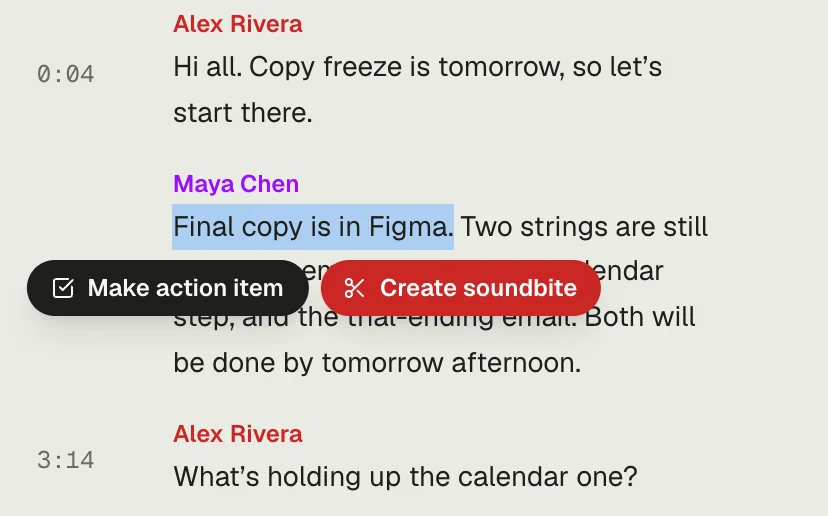
A soundbite keeps the words and their start and end times. Anyone who can open the meeting can see its soundbites, and delete them.
Find your soundbites
- On a meeting: the Soundbites tab (Bites on a phone).
- Across meetings: click Soundbites at the top of the Meetings page. Each clip links to its meeting.
To hear one, open its meeting and click that time in the transcript. To delete one, click the bin icon next to it.
Insights
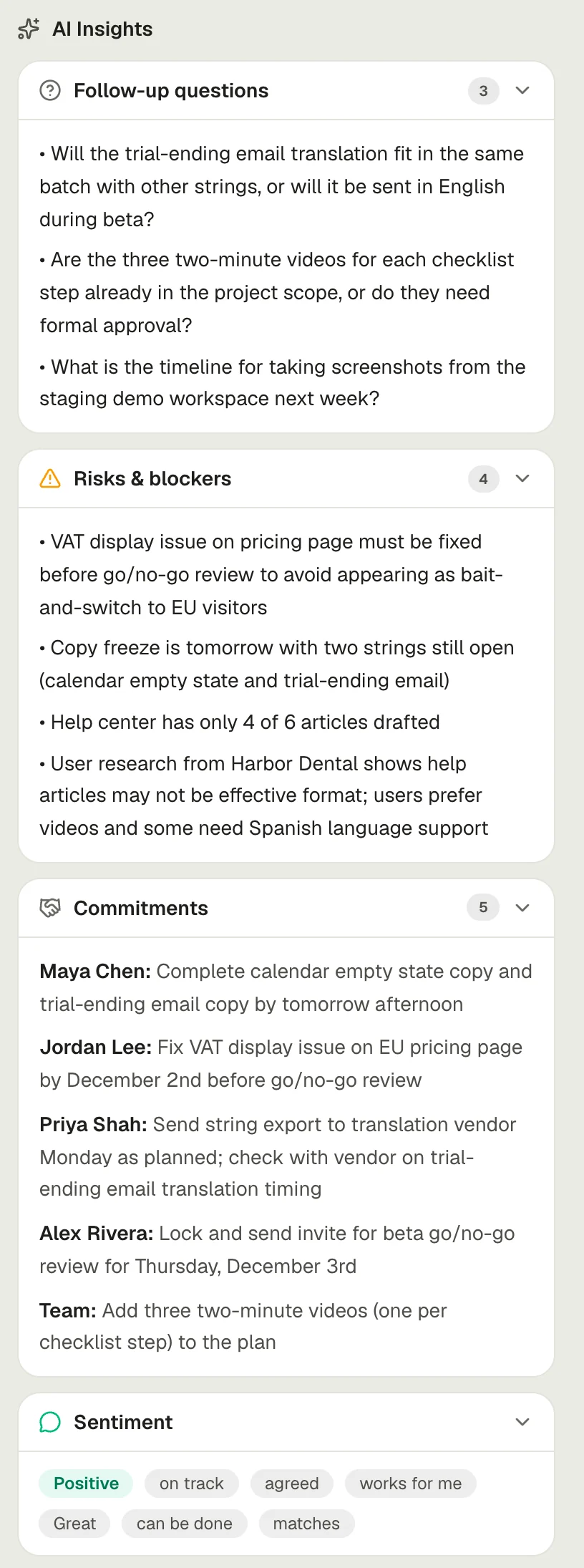
Once the notes are ready, the Insights tab shows four things Kolasys noticed in the meeting:
- Follow-up questions: questions that were raised and not answered.
- Risks & blockers.
- Commitments: who said they’d do what.
- Sentiment: Positive, Neutral, Mixed or Concern, with the words behind it.
Was this helpful?
Still need help?
Email hi@kolasys.ai from the address on your account and we’ll reply by email.