Filter, sort and color rows
Show only the rows you need, put them in order, and color them by their values.
Filter and sort
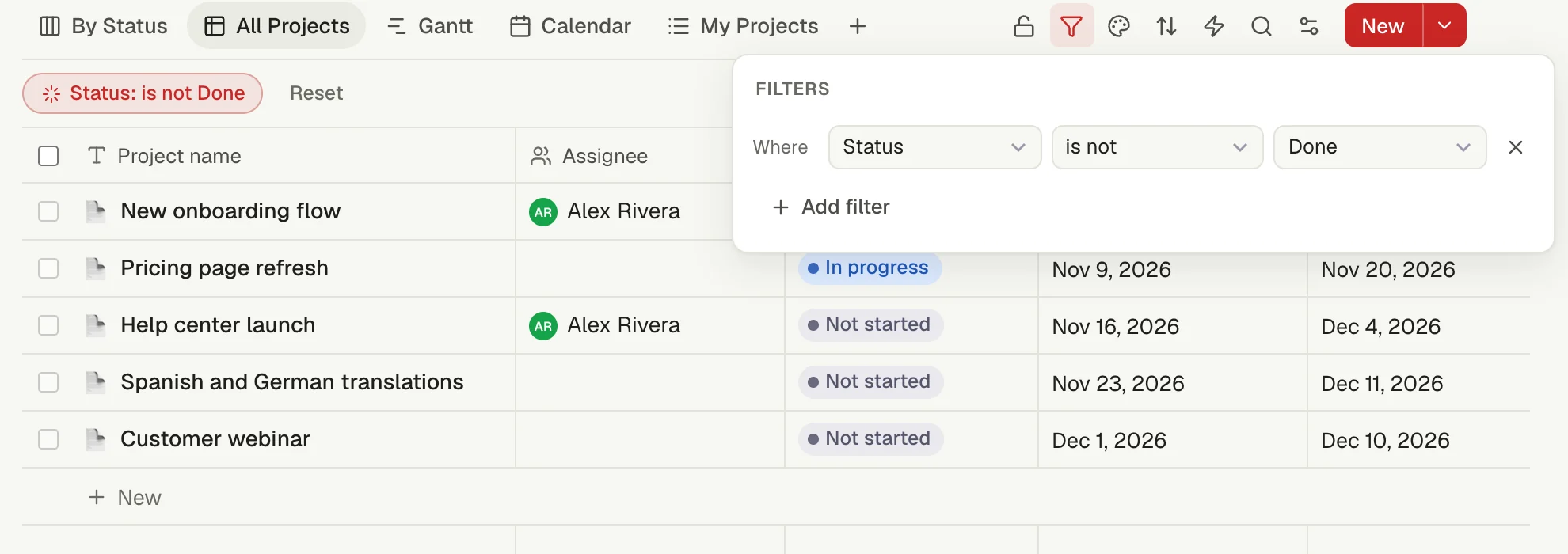
- Click Filter in the database toolbar and choose a property, like Status is not Done.
- Click Sort to order rows, like by due date.
Filters and sorts belong to the view, so other views of the same database aren’t affected.
Conditional color
In table, board, list and gallery views, Conditional color tints rows or cards that match a rule, like overdue tasks in red.
More in the toolbar
- Search: find rows in this database.
- Automations: do something when a row changes.
- AI autofill summaries: fill an AI summary property for every row.
- The lock icon: keeps the properties and views as they are. Rows stay editable.
Was this helpful?
Still need help?
Email hi@kolasys.ai from the address on your account and we’ll reply by email.