Share a page
Give people in your workspace, or guests from outside it, access to one page, and choose what they can do.
Share with people
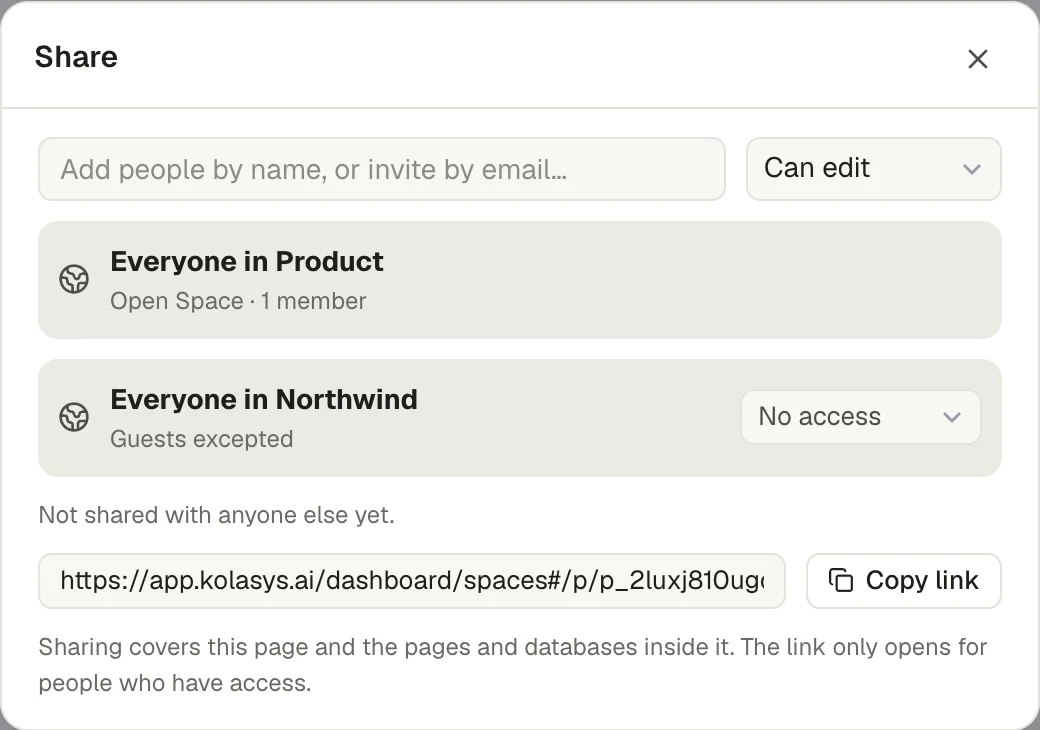
- Click Share at the top right of the page.
- Type a name, or an email address for someone outside your workspace, in Add people by name, or invite by email…
- Pick their access level and send.
Access levels
- Full access: edit, and share with others.
- Can edit: change the page, but not who has access.
- Can comment: read and comment.
- Can view: read only.
Everyone in your workspace has its own setting: No access, or one of the levels above.
Copy the link
Click Copy link in the Share window. The link only opens for people who have access, so it’s safe to paste in chat or email.
Was this helpful?
Still need help?
Email hi@kolasys.ai from the address on your account and we’ll reply by email.