Share a page to the web with a password
Let people without a Kolasys AI account read one page, behind a link and a password you choose. Turn it off any time.
Turn it on
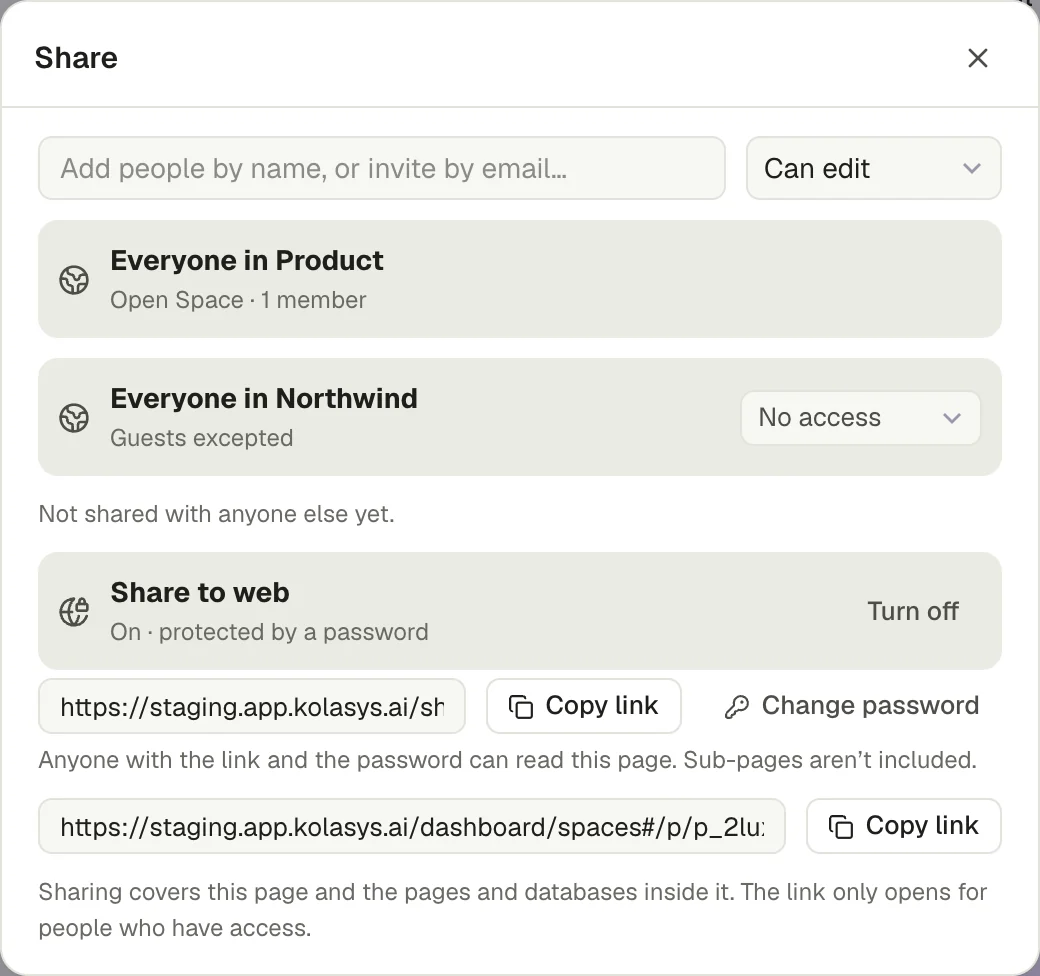
- Open the page and click Share.
- Next to Share to web, click Turn on.
- Type a password of 8 characters or more, or click Generate for a strong one. Copy it now: it won’t be shown again.
- Click Turn on, then Copy link and send the link and the password separately.
What visitors see
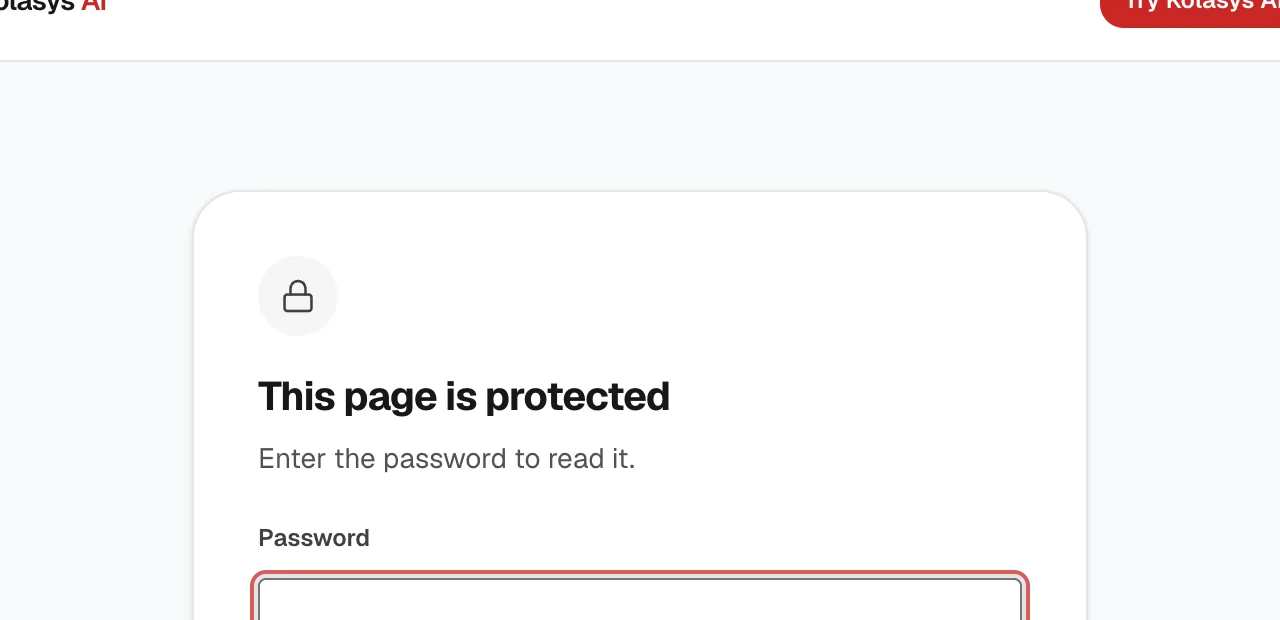
The link opens a page that only says This page is protected and asks for the password. Nothing about the page, not even its title, shows until the right password is entered. After that they can read it for 7 days in that browser.
- Only this page is shared. Sub-pages, databases and comments aren’t included.
- Visitors can read, not edit.
- Too many wrong passwords from one place are blocked for a while.
Change the password or turn it off
In the Share window, Change password sets a new one and Turn off stops the link. Either way, everyone who opened it with the old password is signed out. Turning it on again makes a new link.
Who can share to the web
People with Full access to the page who are members of its Space (or own the page, for a private page). Guests can’t. See Share a page for access levels.
Was this helpful?
Still need help?
Email hi@kolasys.ai from the address on your account and we’ll reply by email.