Comment and suggest edits
Comment on a few words or on the whole page, and suggest changes that the page’s editors can accept or reject.
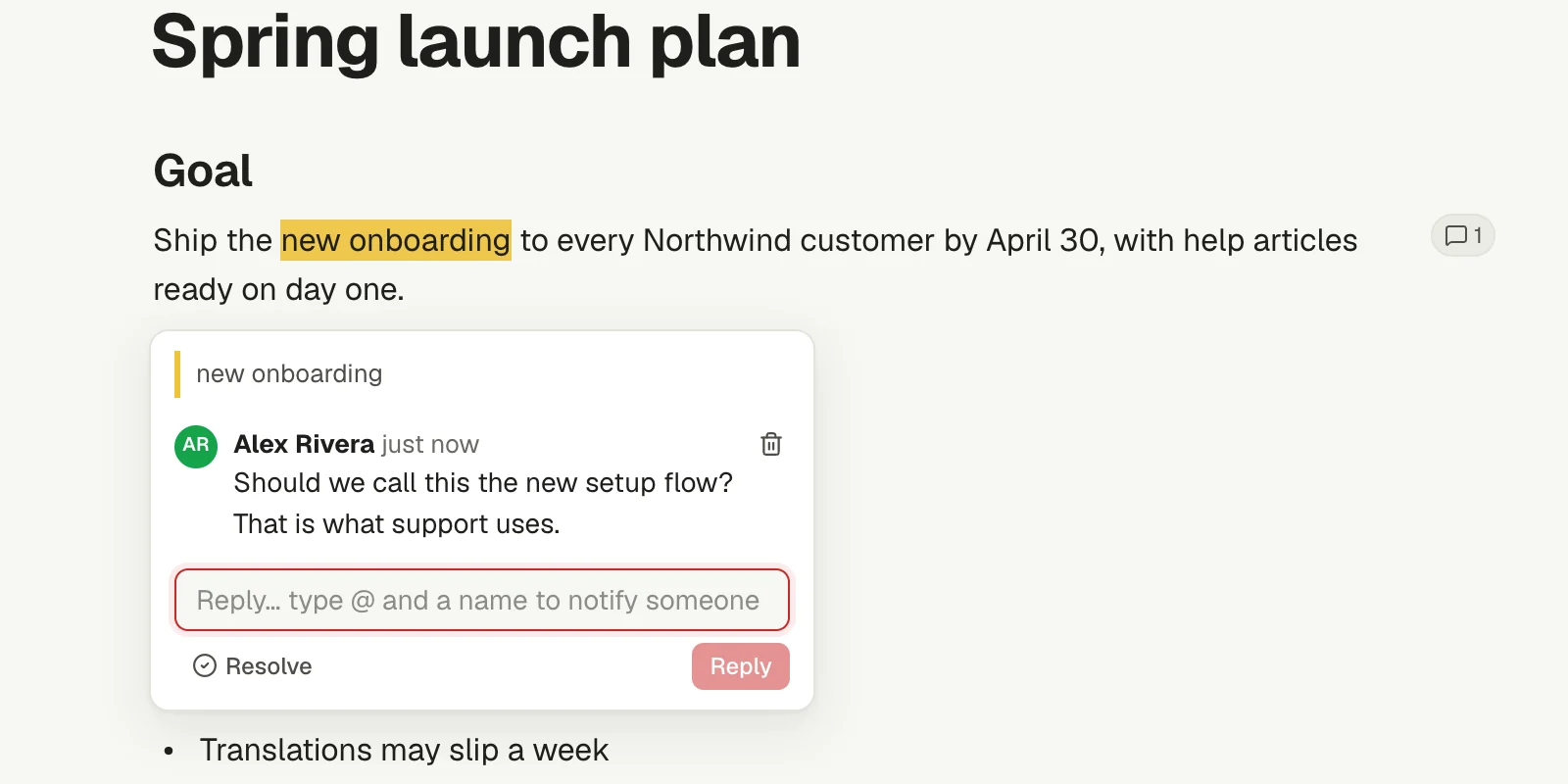
Comment on text
- Select the words you want to comment on.
- Click Comment in the formatting bar.
- Write your comment. Type @ and a name to notify someone.
In a thread you can Reply, Resolve it when it’s done (and Re-open it later), or Delete it.
Comment on the page
Scroll to the bottom of the page, type in Add a comment… and click Send. You can attach images up to 10 MB.
Suggest edits
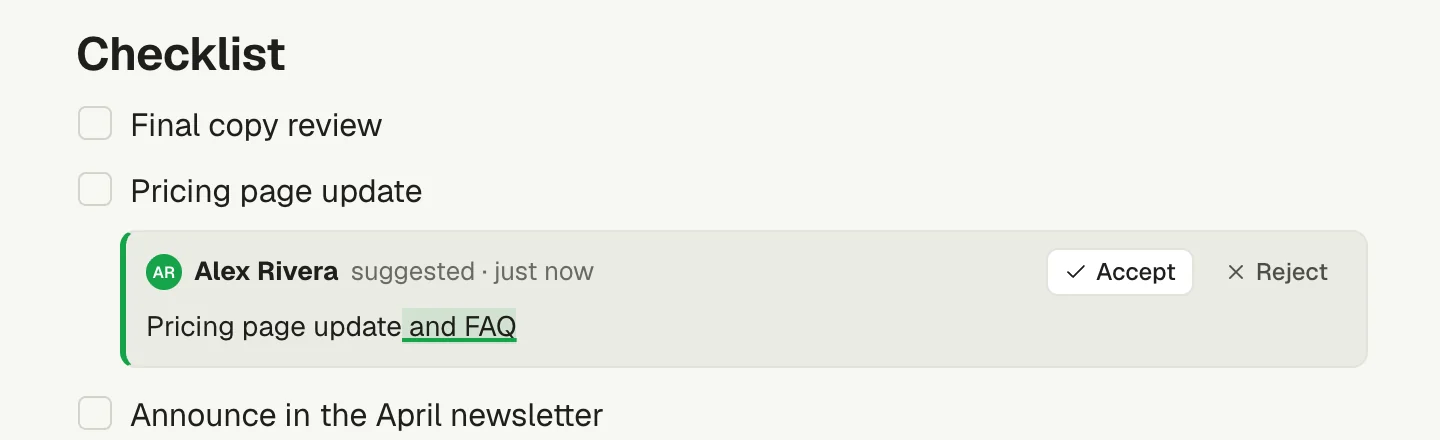
Suggesting lets you propose changes without changing the page until someone approves them.
- Click ••• at the top right of the page and choose Suggest edit. A bar across the page shows you’re suggesting.
- Edit as usual. Your changes show as suggestions, waiting for approval.
- Click Stop suggesting in that bar when you’re done.
Each suggestion has Accept and Reject for the page’s editors, and Withdraw for the person who made it. Your own suggestions show as cards once you stop suggesting.
Was this helpful?
Still need help?
Email hi@kolasys.ai from the address on your account and we’ll reply by email.