Import from Notion, Word, Markdown or CSV
Bring existing documents into Spaces. A Notion export keeps its nesting and databases; a CSV becomes a database.
What you can import
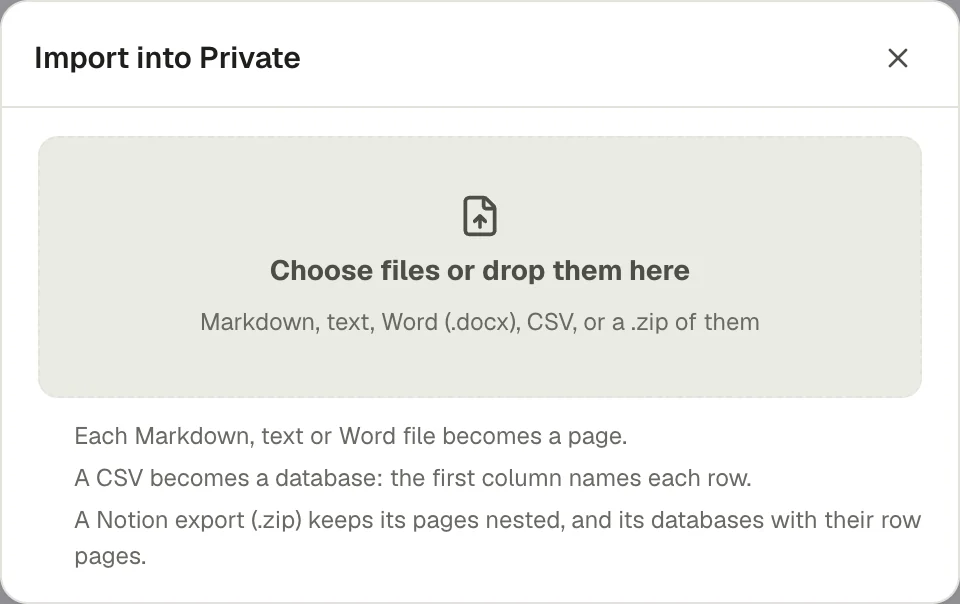
- .md, .txt and .docx files: each becomes a page.
- .csv files: each becomes a database.
- .zip files, including a Notion export: pages keep their nesting, and databases come in as databases.
You can import up to 50 MB at a time.
Import files
- Click Import at the bottom of the sidebar, or choose Import… from the + on a Space.
- Drop your files on Choose files or drop them here, or click it to pick them.
- When it’s done, open the new pages, or click Import more.
Move from Notion
- In Notion, open Settings › Export all workspace content (or a page’s ••• › Export), and choose Markdown & CSV.
- Download the .zip Notion emails you. Don’t unzip it.
- Import the .zip into the Space you want it in.
Was this helpful?
Still need help?
Email hi@kolasys.ai from the address on your account and we’ll reply by email.